Executive Summary
A phone conversation can change the next step in a legal case. Keeping that conversation connected to the right records is essential to making the information useful.
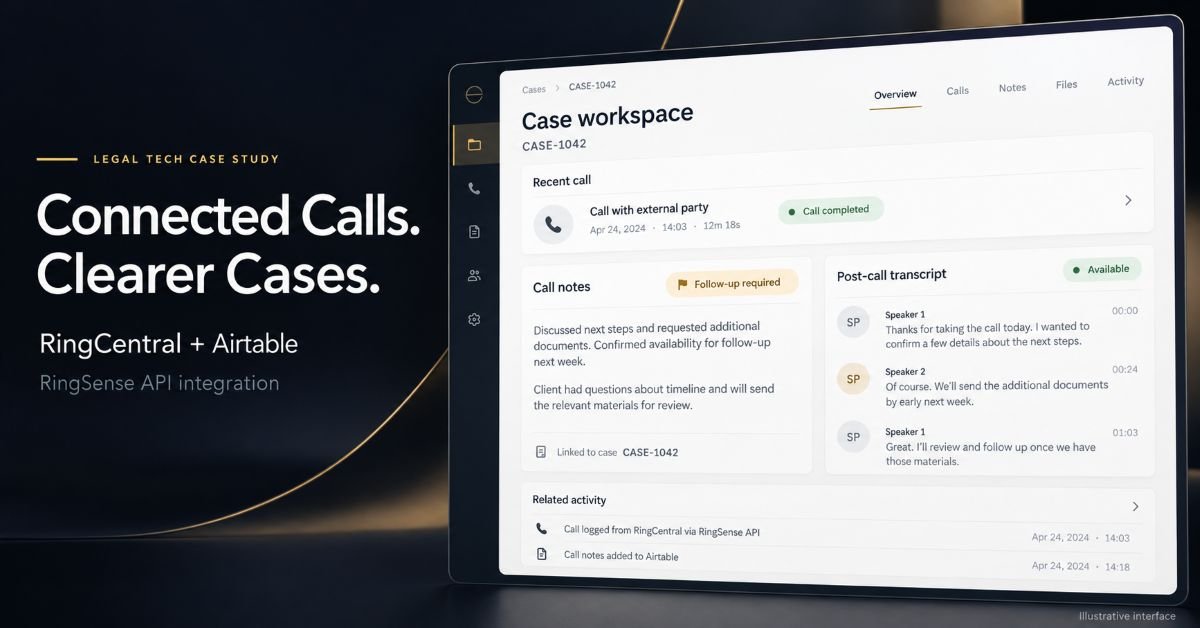
AZ Technologies delivered a RingCentral Airtable integration for a legal client, connecting call activity and RingSense transcription data with the client’s case-management workflows.
The solution supported two stages of work: entering notes against a call as soon as it came in, and populating the transcript after the call had finished. Status updates depended on the call outcome, keeping the workflow connected to what happened during the conversation.
The implementation also required substantial coordination with RingCentral to work through issues involving its then-experimental RingSense API.
The resulting workflow brought call notes, outcome-based statuses, and post-call transcripts into a connected Airtable environment, supporting the client’s operational case-management needs.
The Challenge: Connecting Calls With Legal Case Work
A legal team needs more than a record that a call took place. Staff need to capture what was discussed, identify the outcome, and keep that information associated with the relevant case.
Different information becomes available at different times.
When a call comes in, staff need somewhere to record notes immediately. Once the conversation ends, its outcome can determine the appropriate status. The transcript becomes available afterward and needs to be incorporated into the same workflow.
The integration therefore needed to support:
Notes during call handling: Staff could record information against a call without waiting for its transcript.
Outcome-based status updates: The workflow needed to reflect the result of the conversation.
Post-call transcription: RingSense transcript data needed to populate after the call.
Connected case records: Call information needed to remain useful within the client’s Airtable case-management process.
An evolving API: Implementation issues required investigation and direct coordination with RingCentral.
The central challenge was making these stages work together in a practical operational workflow.
AZ Technologies’ Approach
AZ Technologies approached the project around the legal team’s working process: how calls were handled, when information became available, and how that information related to cases.
The development work connected RingCentral and RingSense with Airtable while accommodating the different timing of notes, call outcomes, and transcripts.
This is a common requirement in systems integration and API architecture: connecting applications is only part of the work. The integration also needs to reflect how people use the information.
1. Supporting Notes From the Start of a Call
The workflow allowed notes to be entered against a call as soon as it came in.
Staff could capture information during the interaction, while the details were immediately relevant. They did not need to wait for transcription processing to finish before working with the call record.
This distinction matters because staff notes and transcripts serve different purposes. Notes capture the information a person considers important to the case, while the transcript provides a fuller record of the conversation after the call.
The solution accommodated both within the connected workflow.
2. Connecting Status Updates With Call Outcomes
The appropriate next step depended on the outcome of the call.
The integration supported status updates associated with those outcomes, bringing the result of the interaction into the client’s Airtable workflow.
This moved the implementation beyond simply collecting call data. It connected the communication event with the operational information used to manage cases.
The workflow was shaped around the client’s requirements, rather than assuming that every completed call should trigger the same response.
3. Incorporating RingSense Transcripts After Calls
Transcripts populated after calls had finished.
AZ Technologies integrated RingSense API data into the Airtable workflow so that transcription information could complement the notes and status information already associated with the call and case.
The timing was an important implementation consideration. The workflow needed to support staff activity before the transcript existed, then incorporate the additional information when it became available.
This created continuity between the initial conversation and the subsequent review of its transcript.
4. Working Through an Experimental API
At the time of the project, the RingSense API was experimental.
The implementation required substantial back-and-forth with RingCentral to investigate API behavior and resolve integration issues. Delivery involved both technical development and coordination with the platform provider.
AZ Technologies worked through those challenges as part of the implementation, connecting the available API capabilities with the client’s operational requirements.
This aspect of the project demonstrates a practical benefit of experienced integration support: the ability to investigate unfamiliar platform behavior, communicate technical issues to a vendor, and keep implementation decisions tied to the business workflow.
How the Connected Workflow Operated
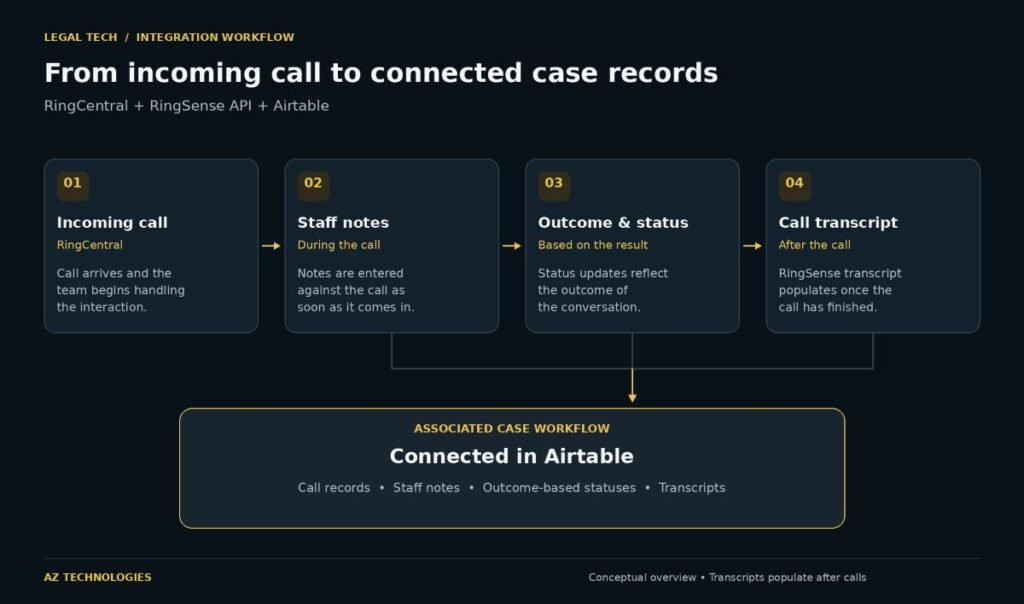
How incoming calls, staff notes, outcome-based statuses, and post-call transcripts connect within an Airtable legal case workflow.
The solution connected three complementary parts of the client’s environment:
| Component | Role in the workflow |
|---|---|
| RingCentral | Phone communications and call activity |
| RingSense API | Access to post-call transcription data |
| Airtable | Connected call and case records, notes, and workflow statuses |
The workflow followed the timing of the conversation:
A call came in, and staff could begin entering notes against it.
The call outcome informed the relevant status updates.
After the call, the transcript populated through the RingSense integration.
The associated information supported the client’s ongoing case-management workflow in Airtable.
The value came from connecting these stages so that call information could be used in the context of the legal team’s work.
Results: A Connected Call and Case-Management Workflow
The implementation delivered capabilities tailored to the client’s operating process:
Call notes available from the start of an interaction, without waiting for the transcript.
Status updates tied to call outcomes, supporting the case workflow.
Post-call transcripts incorporated through RingSense, adding conversation detail after calls.
Connected information in Airtable, linking communication activity with case-management work.
Resolution of implementation challenges involving an experimental API, through technical investigation and coordination with RingCentral.
The project demonstrates how a custom integration can connect communications data with the records and workflows that staff rely on to manage their work.